What are the Types of UPS? Online, Line-Interactive and Offline UPS

All UPS units on the market are marketed as “uninterruptible power supplies”; however, they do not all behave the same way when there is a power outage or a grid failure. Some leave the load without power—even if only for a moment—while others ensure the load never even notices the interruption. The primary function of a UPS is What is a UPS? As we explained in our previous article, in this article we take a closer look at the three main types of UPS.
Offline (Standby) UPS
In an offline UPS, the load is normally powered directly from the utility grid; there is usually only a simple surge and noise filter between the grid and the load. The inverter is in standby mode. When the voltage goes outside the acceptable range or when there is a power outage, a relay switches the load to the inverter, which is powered by the battery.
During this transfer a transition time of a few milliseconds occurs. Most computer power supplies can tolerate this brief interruption; however, it poses a risk for sensitive or critical loads. The output in battery mode is usually stepped (approximate) sine wave, especially in budget models.
Line-Interactive UPS
A line-interactive UPS normally draws power from the utility grid; the difference is that, AVR (Automatic Voltage Regulation) circuit. When the utility voltage drops or rises, the UPS—in most models—boosts or steps down the voltage through the taps of a transformer, thereby stabilizing the output during minor fluctuations without switching to the battery. This reduces unnecessary use of the batteries.
At the moment of an outage, there is again a transition lasting a few milliseconds. During normal operation, the output frequency is tied to the utility grid. The output waveform varies by model: while many models produce a pure sine wave, some lower-cost models may exhibit a stepped sine wave in battery mode. Before purchasing, be sure to check the output waveform in the technical specifications.
Online (Double-Conversion) UPS
In an online UPS, power constantly undergoes two conversions: the rectifier converts the AC from the utility grid to DC, and the inverter converts that back into smooth AC. The load is always powered by the energy produced by the inverter, while the batteries are connected to the DC bus.
When the power goes out, the inverter continues to draw power from the batteries, so There is no transition period. The output voltage and frequency are independent of the utility grid; the waveform is sinusoidal. In the event of an overload or internal fault, the static bypass automatically transfers the load to the utility grid.
Efficiency and ECO Mode
Double conversion comes at a cost: with each conversion, some energy is converted into heat, which slightly reduces the efficiency of an online UPS compared to other types and increases the need for cooling. Found in many online UPS systems, ECO Mode, when the utility power is stable, it increases efficiency by supplying the load through the bypass line. However, in this mode, the UPS effectively operates like a line-interactive or offline system; when the utility power fails, there may be a brief transition as it switches to the inverter. Whether to enable ECO mode for critical loads should be decided deliberately.
IEC 62040-3 Classification: VFD, VI, and VFI
The IEC 62040-3 standard classifies UPSs based on the extent to which their output depends on the utility grid:
- VFD (Voltage and Frequency Dependent): The output voltage and frequency depend on the utility grid. Offline UPS systems fall into this category.
- VI (Voltage-Independent): The output voltage is regulated within certain limits; the frequency depends on the utility grid. Line-interactive UPSs fall into this category.
- VFI (Voltage and Frequency Independent): The output voltage and frequency are independent of the utility grid. Online double-conversion UPSs fall into this category.
You may see a code such as "VFI-SS-111" in the technical data sheets. The first section identifies this class; the second section indicates the output waveform in normal and battery modes (S = sine); and the three digits in the last section indicate how little the output voltage is distorted during mode changes and sudden load changes (1 is the best class).
Which UPS for Which Load?
| Feature | Offline (VFD) | Line-interactive (VI) | Online (VFI) |
|---|---|---|---|
| Transition During an Outage | A few milliseconds | A few milliseconds | None |
| Voltage correction | None or limited | Step-by-step with AVR | Continuous, off-grid |
| Frequency | Connected to the grid | Connected to the grid | Off-grid |
| Waveform in battery mode | Mostly stepped sine wave | Sine or step, depending on the model | Sinus |
| Yield | High | High | Lower (increases in ECO mode) |
| Suitable loads | Home and a single computer, modem | Small offices, network devices, small servers | Server room, medical equipment, automation, critical systems |
Online UPS systems also stand out in setups that operate alongside a generator: voltage and frequency fluctuations from the generator can frequently cause offline and line-interactive models to switch to battery power.
Single-Phase, Three-Phase, and Modular UPS
UPS systems are also classified based on their input and output phase configurations: single-phase (1/1), three-phase input/single-phase output (3/1), and three-phase (3/3). Single-phase models are common for small and medium power applications; three-phase UPS systems are used for high-power applications and three-phase loads. UPS systems in this power class are mostly online.
Modular UPSPower is supplied by modules installed in the same cabinet. Modules can be added as needed, and by installing an extra module (N+1), the load can continue to be powered even if one module fails.
Things to Consider When Choosing a UPS Type
- Load sensitivity: For loads where even a brief interruption could cause problems, an online UPS should be selected.
- Network quality: In areas where voltage fluctuations are frequent, at least a line-interactive model—and preferably an online model—should be considered.
- Waveform: A pure sine wave output should be used for motorized devices and certain power sources.
- Power and duration: Choosing the right power and battery capacity is just as important as selecting the right type; details How to Calculate UPS Power in our article.
- Installation and service: The installation location, ventilation, and ease of future maintenance should be planned from the outset.
To view the approximate UPS power and battery configuration Power Calculation You can use our tool. How to commission the selected UPS How to Set Up a UPS In this article, the importance of regular maintenance What is UPS maintenance? You can find it in our article.
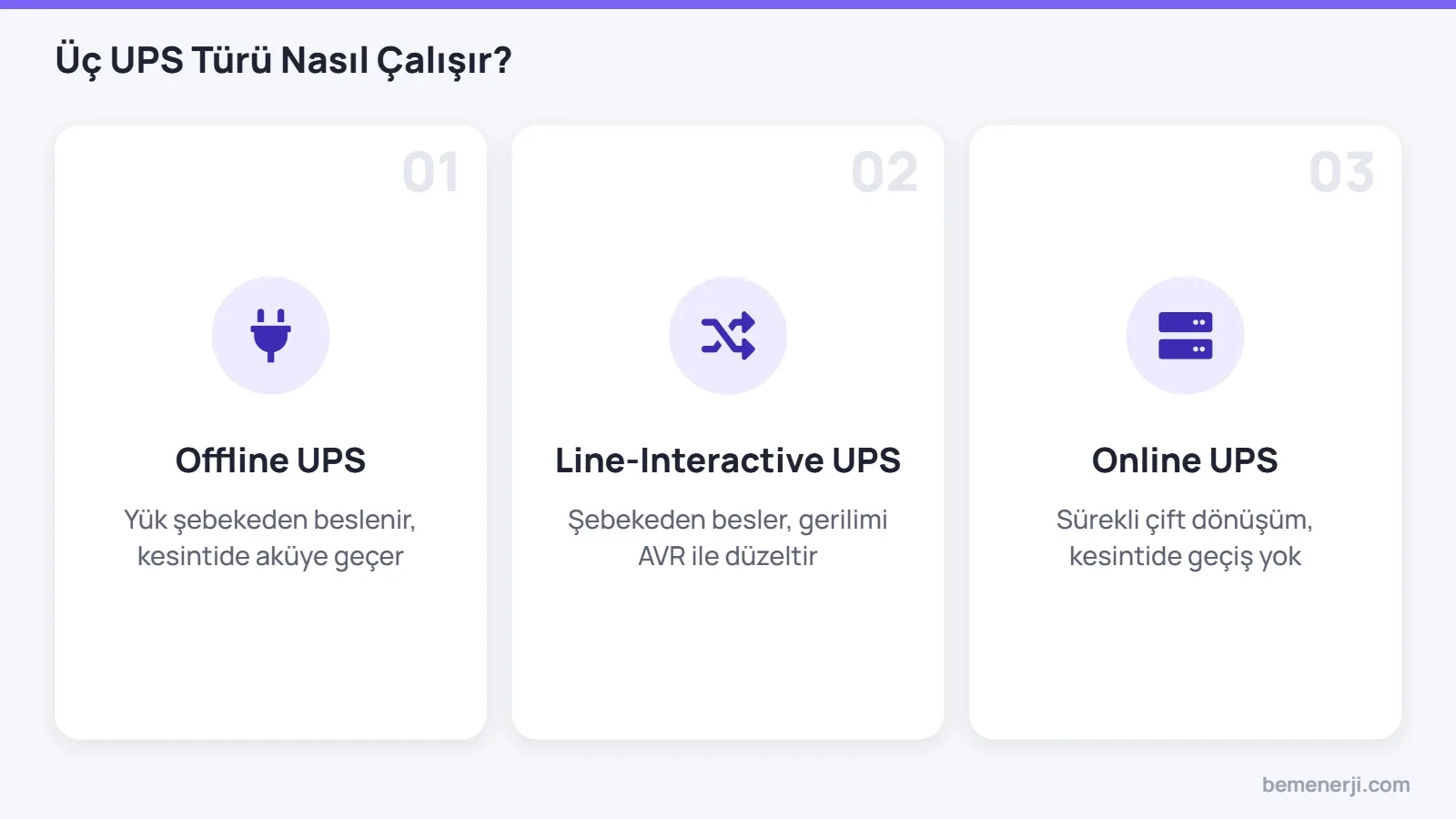
Types of UPS at a Glance
How the three types of UPS supply the load in normal operation and at the time of an outage is summarized below.

For critical and sensitive loads, the online UPS with no transit time provides the highest protection. Together we can determine which one is suitable for your cargo in the discovery.
Frequently Asked Questions
01Would a line-interactive UPS be enough for the server?
02Will a transit-time UPS damage my devices?
03Why can cascading sine output be a problem?
04Is ECO mode safe?
05How do I find out what type of UPS I have available?
Let's Choose the Right UPS for Your Cargo Together
Devices to be supplied, desired backup time and installation location Send us; After exploration, let's recommend the appropriate UPS type and battery layout for your load. Setup Process UPS Installation and Assembly You can check it out on our page.