UPS for Doors, Turnstiles, and Access Control Systems: Will the Door Open or Lock During a Power Outage?

In card-based door and turnstile systems, a power outage gives rise to two conflicting concerns at the same time: if the doors open, security is compromised; if the doors remain locked, people are trapped inside. Most building managers believe a UPS is the solution to this dilemma; however, what the door does during a power outage is determined from the outset by the type of lock, and a UPS merely changes how long that behavior is delayed. This article first explains that design decision, then describes the components of an access control system and how a battery-powered power source and a UPS work together. We have a separate article on parking lot barriers: UPS for parking barriers and license plate recognition.
Fail-Safe and Fail-Secure: What Does the Door Do During a Power Outage?
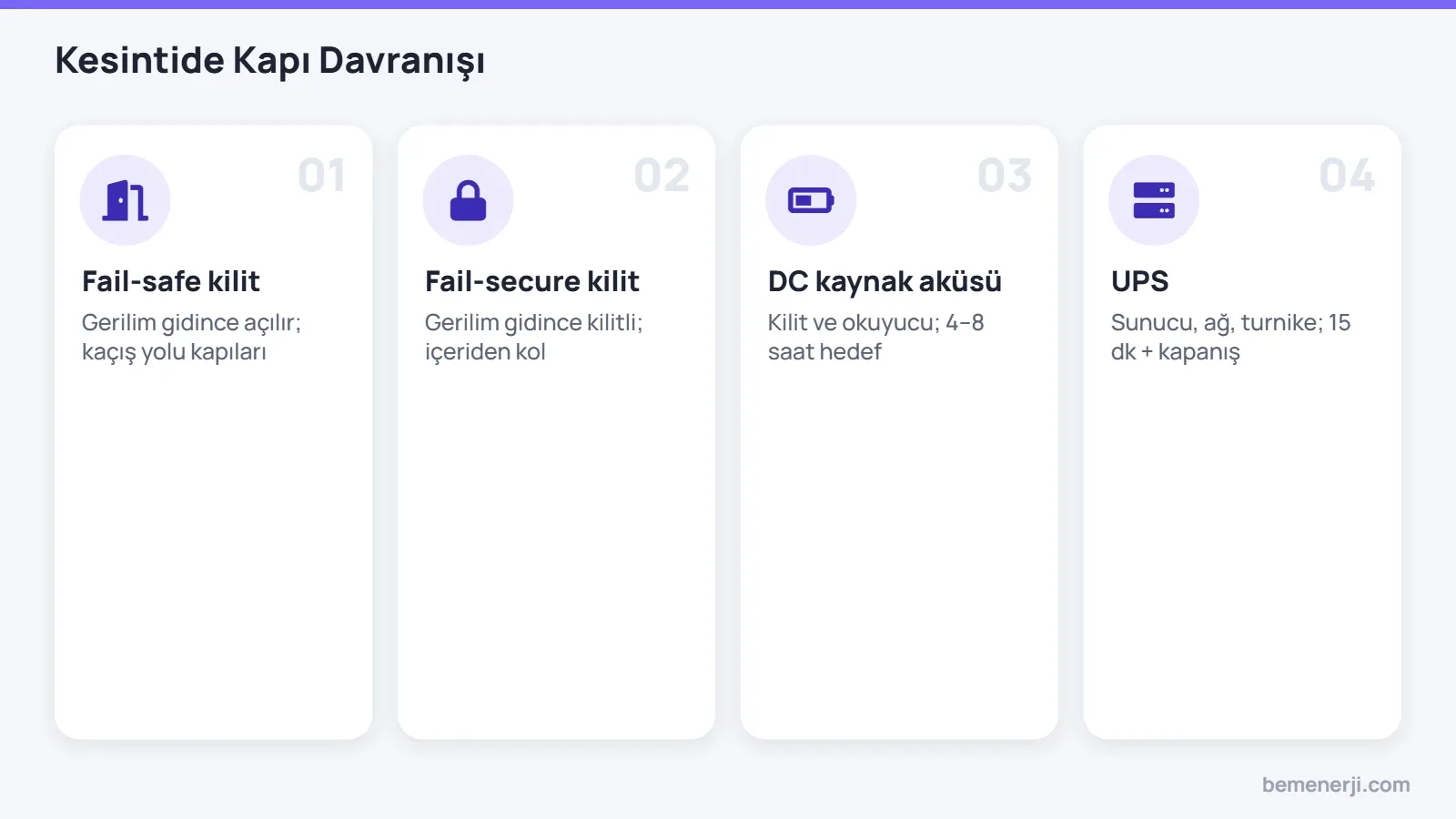
| Fail-safe (opens when power is lost) | Fail-secure (remains locked when power is lost) | |
|---|---|---|
| Typical lock | Magnetic lock (electromagnet) | Electric strike, motorized lock |
| During the outage | The door is open; everyone is welcome | The door is locked; there is a mechanical latch on the inside and a key on the outside |
| Where is it used? | Doors along the escape route, heavy foot traffic | Areas where no one is allowed to stay, such as server rooms, vaults, and storage areas |
| The Impact of UPS | Keeps the lock closed for the duration of the UPS; then it opens | It continues to record and read the card; the lock is already closed |
Every door along an escape route is designed to allow people to exit: either a fail-safe lock is used, or a fail-secure lock has an exit handle on the inside. In the event of a fire, the locks are released by a signal from the fire alarm panel; this connection is independent of the UPS and must function even in a system equipped with a UPS. The fire alarm panel’s own power supply Fire alarm systems and UPS We explained this in our article. In short, a UPS does not "enhance" security; it delays the lock's design behavior during a power outage. The first step in making a decision is to know what type of door you have.
System Components and Capabilities
| Component | Typical power | Note |
|---|---|---|
| Control panel (door controller) | 10–30 W | Typically from a 12 V DC battery-powered power source |
| Card / fingerprint reader | 2–5 W | Powered by the panel |
| Magnetic lock | 6–12 W continuous | It keeps pulling as long as it's locked |
| Electric response | Only when opening | Impact load, small |
| Turnstile | 50–150 W | Inrush current at the moment of transition |
| Door opener (automatic door) | 100–250 W | Motor; starting current |
| Server / PDKS computer and network | 100–300 W | Records, card permissions, reports |
Battery-Powered Power Supply, UPS, or Both?
Access control panels are typically powered by 12- or 24-V DC power supplies that include a battery compartment; in a small system with just a few doors, this battery can power the locks and readers for hours, eliminating the need for a UPS. As the system grows, the picture changes: the server that stores card authorizations, the PDKS computer, the network switch, the turnstiles, and the automatic door operators are powered by 230 V, and only a UPS can keep them running. The correct solution is layered—DC power sources power the locks and readers, while the UPS protects the server, network, and turnstiles. This ensures that during a power outage, cards continue to be read, access events are logged, and the turnstiles remain operational. If the network switch is omitted from the chain powered by the UPS, the readers will work but cannot communicate with the server; this chain UPS for cameras and recording devices Based on the logic in the text, we need to count them one by one.
For turnstiles, the inrush current at the moment of passage is taken into account; for an entrance with three turnstiles, a 1–1.5 kVA line-interactive UPS is sufficient in most cases; if there is an automatic door, an online-type UPS and a higher capacity model are preferred. A separate rack-mounted UPS for the server and network, combined with a local UPS setup at the entrance for the turnstiles, is more practical if the cable run is long.
Time Target
There are two different time frames. The target for the server and the PDKS is 15 minutes plus a proper shutdown; access logs must not be corrupted during a power outage, and the system must restart automatically when power is restored. For locks and readers, the battery backup for DC power sources is targeted at 4–8 hours; this ensures that even during a prolonged power outage, the doors function as designed, and security personnel can continue to gain access using their cards. Calculation of the duration based on battery capacity How is battery life calculated? in his article.
PDKS: Transactions Lost During an Outage
The hidden cost of an outage in employee attendance tracking is data loss. If the readers are operational but cannot communicate with the server, many panels store the access logs in their own memory and transfer them once the connection is restored; however, if the panel’s power supply also fails, that day’s entry and exit records are lost, and payroll calculations must be corrected manually. For this reason, regularly monitoring the batteries in the panels’ DC power supplies is just as important as the server’s UPS; these batteries are often never checked after installation and lose their capacity by the third year. Battery aging When should the battery be replaced? We explained this in our article.
Precautions for Installation and Maintenance
In access control systems, power supplies are typically distributed in the attic, in boxes above doors, or inside suspended ceilings; no one sees them, so they are often overlooked during maintenance. During installation, the location of each power supply should be recorded in a list, the date the batteries were installed should be labeled on the top of the enclosure, and all of them should be tested individually during annual maintenance. On the UPS side, ensuring that the turnstile and automatic door circuits draw power from separate circuit breakers and that the server and network circuits are kept separate prevents a single motor failure from taking down the entire system. During a maintenance visit, a full power-off test is conducted: it is verified that the doors operate as designed, card reading and logging continue, and the system automatically recovers when power is restored. If this test is scheduled for the same day as the fire panel release test, the facility experiences only a single interruption.
In multi-building campuses and factories, access control extends from a single server to dozens of doors; here, the panels at each building entrance have their own battery-powered power source, while the main server is connected to the central UPS in the technical room. The network connection between buildings must also remain operational during an outage; otherwise, the panels will operate offline, and changes to card access permissions will not reach the doors.
Common Mistakes
- Installing a fail-secure lock on an emergency exit and assuming it’s “safe” because of the UPS means people will be trapped inside during a power outage or fire.
- Never measure the batteries in DC power supplies; even if the UPS is functioning properly, the locks will malfunction during a power outage.
- Failing to account for the inrush current of the turnstile causes the UPS to trigger an alarm with every passage.
- Connect the server to the UPS but leave the network switch off; the card readers will work, but no one will be able to pass through.
- Do not test the release connection to the fire panel after the UPS has been installed.
- Connecting the door opener to a line-interactive small UPS; the UPS shuts down when the motor starts.
The turnstile, card-access door, and intercom systems at the building entrance should be considered together; the intercom system UPS for intercoms and doorphones We covered this in our article. During the site survey, we’ll work with you to determine the types of gates and power supply for your access control system: UPS Installation and Setup.
UPS changes the duration of the door, not its behavior

Frequently Asked Questions
01Does the card-operated door stay open during a power outage?
02If the power supply has a battery, why is a UPS necessary?
03How many VA of UPS power is needed for a turnstile?
04How do you open doors during a fire?
05Will the transition records be lost during the outage?
Site Survey for Your Access Control System
Let’s work together to determine how the battery-powered power supply and the UPS will be configured based on your door types, the number of turnstiles, and your server infrastructure; for on-site installation in Istanbul and surrounding provinces, Contact Us.