UPS Selection and Maintenance for the Server Room

When there’s a power outage in the server room, the problem isn’t just that the screens go dark: it also results in unfinished write operations, corrupted databases, virtual machines that won’t start, and recovery efforts that take hours. That’s why the UPS in the server room is chosen with greater care and maintained more regularly than a typical office UPS.
Steps for the general election How to Choose a UPS We explained this in our article. In this article, we focus on decisions specific to the server room.
What Can Be Connected to a UPS?
The rule is simple: everything needed to keep the service running is powered by the UPS.
- Servers and storage: Physical servers, virtualization servers, storage units, and backup devices.
- Network: Network switches, firewalls, and routers. If these go down, the servers will still be running, but no one will be able to access them.
- Internet access: Modems, fiber converters, and carrier devices; remote access and alarm emails are linked to these.
Air conditioners are generally not connected to a UPS. Compressor-based devices draw high current at startup and have high continuous power requirements; connecting them to a UPS unnecessarily increases the size of both the UPS and the battery bank, and significantly shortens the backup time. If a generator is available, the air conditioner is powered by the generator. If there is no generator, the fact that the room will heat up during a power outage is taken into account, and the backup duration is kept short accordingly.
Why Choose an Online UPS?
Online (double-conversion) UPS systems are typically preferred in server rooms. The load is continuously supplied by the inverter with a voltage that is independent of the utility grid and has been rectified; there is no transition time during an outage. In facilities with generators, the load is also supplied stably by a source that varies in voltage and frequency. The difference between the types Types of UPSs You can find it in our article.
Power Calculation: Measurement, Not a Label
The value listed on the server power supply’s label indicates the device’s worst-case limit and is typically higher than actual power consumption. Relying solely on these labels leads to selecting a UPS that’s larger than necessary. A more accurate approach is to monitor the actual load for a period of time using the display on the existing UPS or smart power strips. It’s also important to remember that servers run their fans at full speed when they start up.
A margin is set aside for new servers based on the measured load, and the UPS is selected at a capacity that ensures it will not operate at full power continuously. The steps of the calculation How to Calculate UPS Power As we explained in our article; Power Calculation Our tool provides a preliminary estimate; the final selection is made based on on-site measurements.
Time Target
| Status | The duration for which batteries must hold a charge |
|---|---|
| There is a generator | Enough time for the generator to start up and take over the load, plus a buffer to ensure the servers shut down properly if the generator fails to start on the first try |
| No generator | To handle short outages and ensure that the entire system shuts down properly and in sequence during a long outage |
The runtime is determined not by the UPS's power, but by the battery capacity and the size of the load. How to calculate it How is battery life calculated? We explained this in our article.
Rack or Tower? Dual Power Supply and Redundancy
If there is space in the system cabinet rack-mounted UPS and battery modules provide stability; heavy battery modules are typically placed at the bottom of the cabinet. If higher power or longer runtime is required, a separate battery cabinet is used. tower-type A UPS is installed outside a cabinet.
In dual-power-source servers, the two power sources are connected to two separate power supplies, such as two separate UPS units. Connecting both power sources to the same UPS does not provide protection if that UPS fails. Normally, the load is shared between the two circuits; however, each circuit must be selected to be capable of carrying the entire load on its own should the other circuit fail. For single-power-source network devices, a rack-mounted automatic transfer switch can be used. Parallel and N+1 configurations UPS Redundancy We discussed this in our article.
Network Card and Automatic Shutdown
In the event of an outage when no one is on duty, the servers will be shut down by the UPS, the network card, or the monitoring software. Alarms are sent via email; when the outage exceeds the specified duration or the remaining backup time drops to the specified value, applications are shut down first, followed by virtual machines and servers, and finally storage, in that order. For the shutdown command to be received, the network switch must also be powered by the UPS. Details Automatically Shut Down Servers You can find it in our article. After installation, this scenario must be tested using a planned outage test.
Ambient Temperature and Batteries
Batteries are generally designed for an ambient temperature of 20–25 °C; as the room heats up, their lifespan decreases significantly. A UPS or battery cabinet placed in front of a server’s hot air exhaust can operate at high temperatures even if the room is cool. Setting up a temperature alert for air conditioning failures protects both the servers and the batteries. The effect of the ambient environment on the batteries Battery Room Ventilation and Safety We explained this in our article.
Maintenance and Testing
As a general guideline, maintenance is recommended every three months for critical systems; this corresponds to our Gold plan, which includes four visits per year. If rapid response and 24/7 support are required, the Platinum plan—which includes eight visits per year—should be considered. During each visit, the voltage and internal resistance of each battery are measured; what each test indicates What is a UPS battery test? We compared them in our article. Switching to maintenance bypass is only recommended because the loads will be left unprotected, so qualified technical staff is carried out by [name] at the previously scheduled time; the reason is What is a UPS bypass? We explained this in our article.
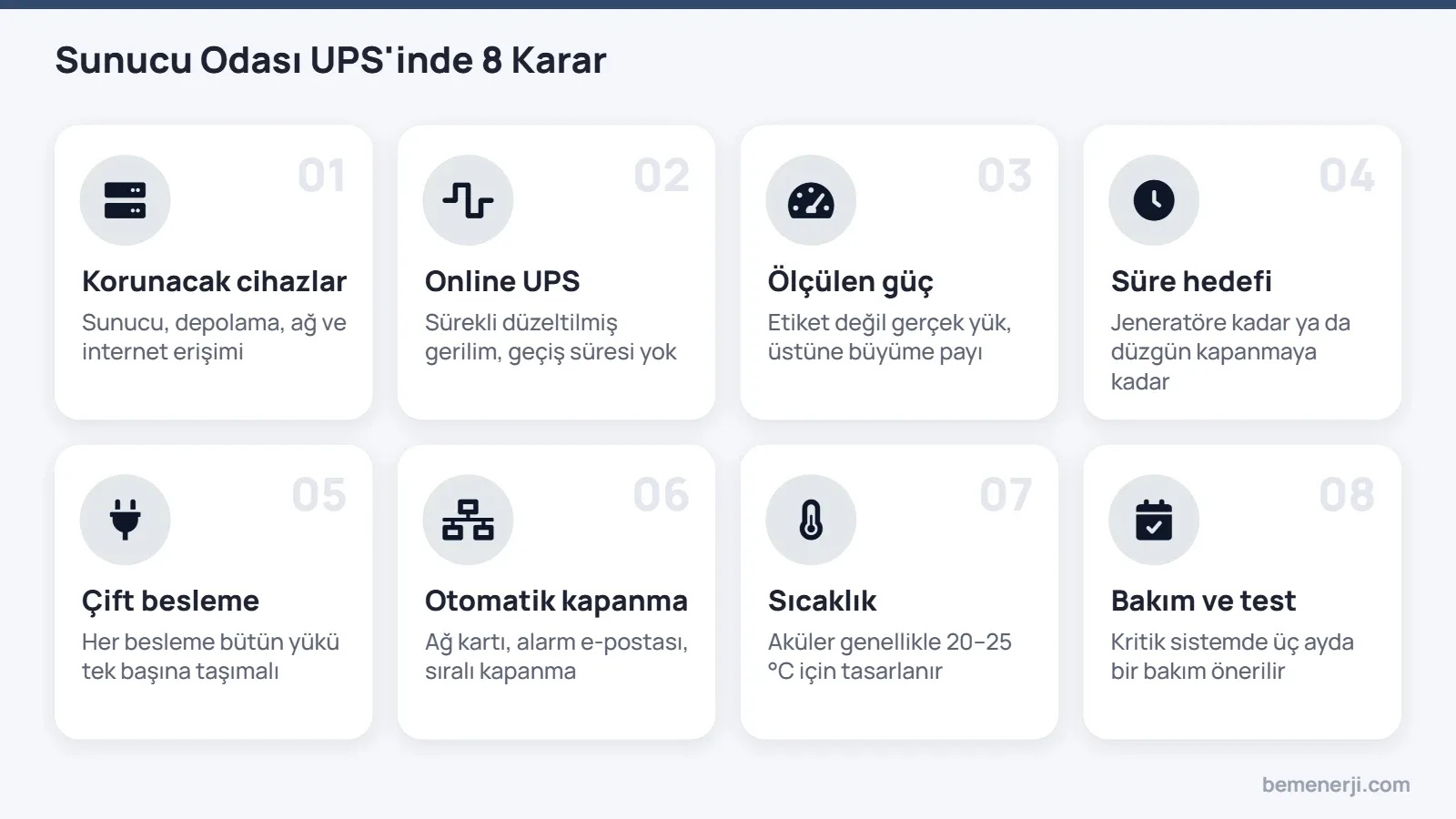
Server Room UPS at a Glance
The server room's UPS is configured based on eight decisions, ranging from what needs to be protected to the frequency of maintenance.

Even if the power and duration are selected correctly, the system may not function properly in the event of an outage if the automatic shutdown feature has not been tested, if the temperature is not being monitored, or if maintenance is neglected. You can find the details of each decision later in this article.
Frequently Asked Questions
01Should we connect the server room's air conditioning to the UPS?
02How many minutes of UPS runtime is sufficient for my servers?
03Is it okay to connect both power cables from a dual-power-source server to the same UPS?
04How can we make sure the auto-lock feature is working?
05How often should the UPS in the server room be serviced?
Let's Evaluate the UPS in Your Server Room Together
We perform periodic maintenance on UPS and battery systems of all makes and models throughout Istanbul and the surrounding provinces. The scope of a maintenance visit Periodic Battery and UPS Maintenance On our website, you'll find the Bronze, Silver, Gold, and Platinum plans, which range from one to eight visits per year Maintenance Plans You can find this information on our website. The brand and model of your UPS, the devices it powers, and the age of the batteries Please let us know; let’s work together to determine the right maintenance plan for your server room.