UPS Alarming: How to Evaluate Alarm and Error Codes

Most people who hear the UPS beeping go to one extreme: either turn the device off and on immediately, or silence the sound and forget about the alarm. Neither is true. An alarm is UPS's way of telling you something; understanding what it is telling you is the first condition for taking the right action.
The meaning of error codes varies from brand to brand or even model to model; in this article, we explain the general logic of alarms without going into specific codes. For the exact meaning, the user manual of your device is taken as a basis.
Three Levels of Alarm
UPSs typically issue notifications at three levels, based on severity. While their names and notations vary, the logic is similar:
| Level | What does it tell? | Example |
|---|---|---|
| Information | Informs you that the operating status of the UPS has changed | Working from the battery, battery testing |
| Warning | Indicates that a boundary is approaching or a situation that requires attention | The battery is low, the load is high, the temperature is high |
| Malfunction | Reports that a part of the UPS is unable to perform its function | Inverter failure, bypass switched, UPS shut down |
The information notification may disappear on its own; warnings and malfunctions will last until the cause is fixed or will be recorded.
Most Common Alarms
- Battery Working: The mains has been interrupted or the input voltage or frequency has gone out of the UPS's acceptance range. If there is no interruption and this alarm repeats frequently, the input side or the input settings of the UPS should be examined.
- Battery low/low battery: The time remaining from the battery has decreased. This warning is the last opportunity for the connected systems to be shut down properly.
- Battery test fail / battery replacement: The batteries may be aged, there may be a connection problem or the charging may not be done properly. The final decision is made by measurement.
- Overload: The connected load has exceeded or is close to exceeding the power of the UPS. If the overload continues, online UPSs usually bypass the load; if the bypass is unavailable, for example during an outage, the UPS may shut down the output after a certain period of time. It is checked whether there is a recently added device.
- Extreme Temperature: The room may have heated up, the ventilation may have turned off, or a fan may not be working.
- Working in Bypass: The load continues to be supplied, but the UPS does not provide protection. If there is no deliberately selected high efficiency mode, it should be examined.
- Fan failure: Cooling decreases; it can lead to a temperature alarm and a switch to bypass in a short time.
- Wiring or grounding warning: Some UPSs report that the phase-neutral location or grounding in the socket is not appropriate; this indicates that the electrical installation should be checked by a qualified electrician.
The faults behind these alarms Why does a UPS fail In his article, bypass is What is UPS bypass We discussed it in detail in the article.
What to Do in Case of Alarm?
- Take note: Type the message or code on the screen, the lights on, and the time.
- Photo: A photo of the screen and the incident log page, if applicable, ensures that the service team comes prepared.
- Record the conditions: Before the alarm, note whether there is an outage, generator operation, connection of a new device or an increase in temperature in the room.
- Reduce the load: Safely shut down non-critical devices on overload warning.
- Check the environment: Make sure that the air conditioner is working at the temperature alarm and that the air inlets and outlets of the device are not closed.
Silencing the buzzer is possible on most UPSs and relaxes the mood on a long alarm. However, silencing does not make the alarm go away; the on-screen warning and its cause remain in place.
Don'ts
- Repeatedly turning the UPS off and on: It does not pass the fault, can hide the cause and puts additional strain on the batteries and power compartment.
- Deleting the event log or resetting alarms: Destroys the information needed by the service team.
- Opening covers: Even when the UPS is off, there may be dangerous voltage inside due to the batteries.
- Maintenance bypass, battery switch or fuse tampering: This is only carried out by trained personnel in accordance with the manufacturer's instructions.
- Repeatedly pressing the battery test button on the battery alarm: If the batteries are low, some UPSs may shut down the loads during the test.
Why is Event Recording Important?
Most UPSs record alarms with date and time. More than a single alarm, again Important: Switching to the battery at the same time every night, temperature warnings as the load increases, or frequent bypass passes indicate where the problem is coming from. Therefore, it is also important that the device clock is correct. How records are reviewed during maintenance UPS maintenance checklist You can find it in the article.
If you have UPS monitoring software or a network card, check who the alarms are emailed to. If no one sees an alert at night or on the weekend, it has the same result as no alarm at all.
When to Request Immediate Service?
- If there is smoke, burning smell, swelling of the batteries or unusual heating
- If there is a fault-level alarm or if the UPS has turned off by itself
- If UPS is constantly in bypass
- If the battery test fails or the backup time is shortened in an outage
- If the same warning repeats even though the cause has been fixed
In the event of smoke, burning smell or overheating, the loads are safely switched off, the device is deactivated with the steps in the user manual and technical support is requested immediately. What to prepare in the service request UPS technical service process The article explains.
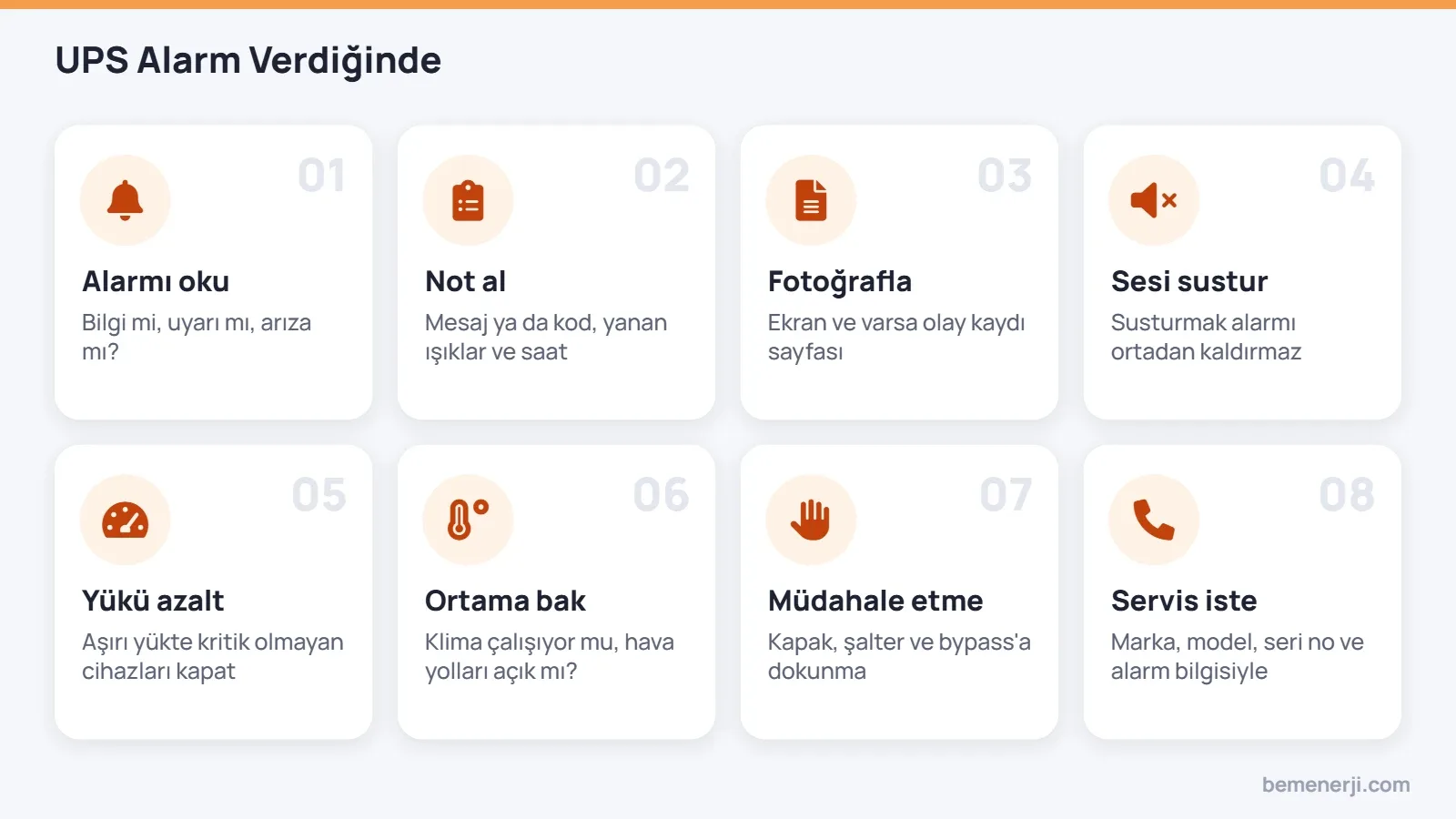
8 Steps in Alarm Time
Monitoring this sequence without panicking when the UPS alarms not only protects the loads but also facilitates accurate fault detection.

If there is smoke, a burning smell or swelling of the batteries, safely switch off the loads without waiting, deactivate the device with the steps in the manual and ask for technical support.
Frequently Asked Questions
01My UPS is beeping intermittently, what should I do?
02Where can I find out the meaning of the error code?
03Is it inconvenient to silence the alarm?
04The alarm disappeared on its own, do I still need service?
05Can I track alarms remotely?
Is Your UPS Alarming?
We diagnose and repair UPS of all brands and models; Service visit and fault detection are free of charge in Istanbul. Process Fault Detection and Technical Service We explained it on our page. The brand and model of your UPS, the alarm message or photo on the screen Send us; Let's find out why together.