UPS Rectifier, Inverter, and Charging Unit Malfunctions

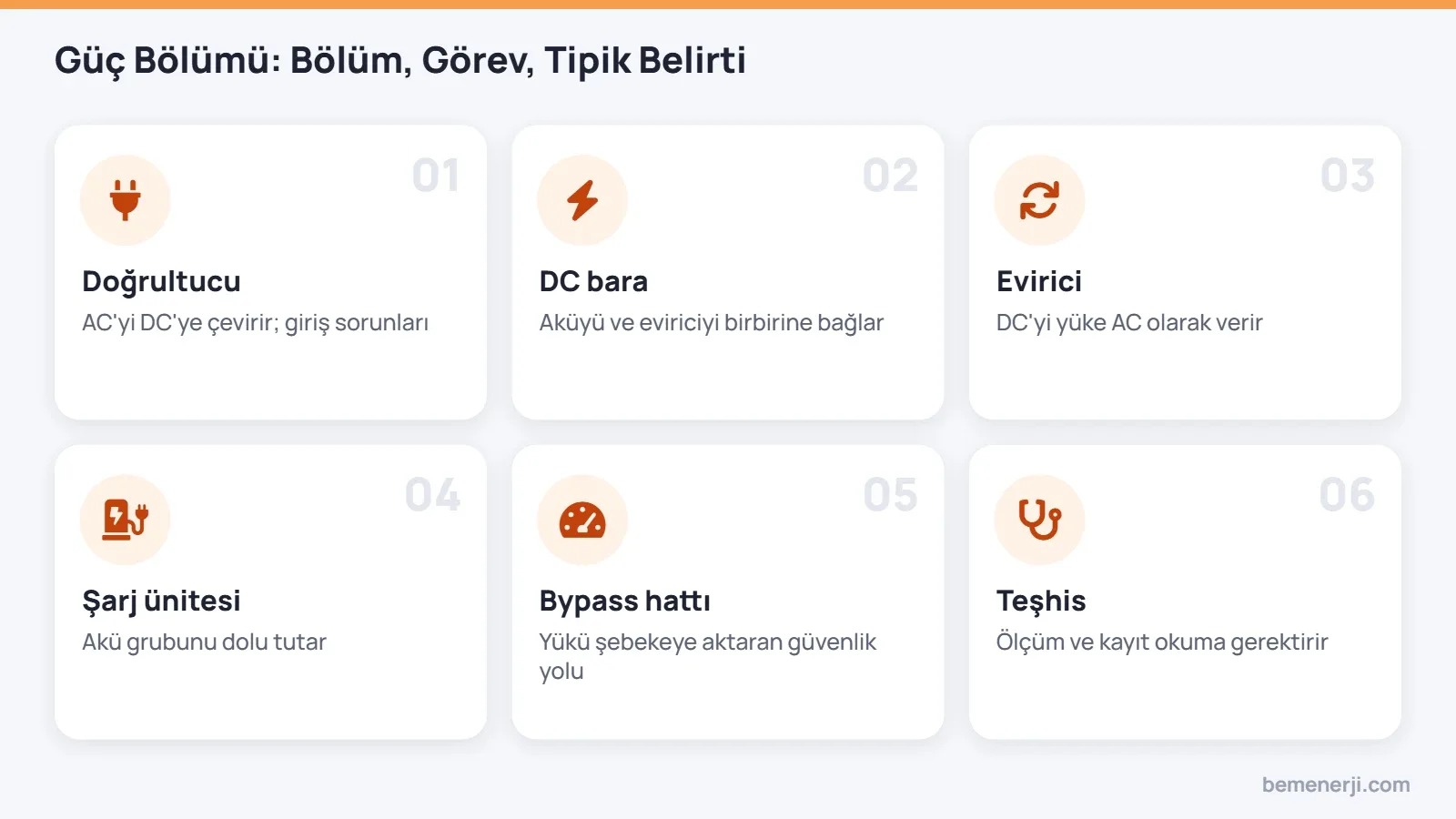
When a UPS sounds an alarm or fails to support the load during a power outage, most users assume that “the battery is dead.” While the battery is indeed the most common cause of failure, a UPS can malfunction even when the batteries are in good condition. This is because there is a component inside the unit that is independent of the battery power section It consists of three main components: a rectifier, an inverter, and a charging unit.
In this article, we explain the function of each component, typical signs of malfunction, and which component these signs indicate. The goal is not for you to attempt repairs on your own, but to be able to contact customer service with the correct information.
How Does the Power Section Work?
In a double-conversion (online) UPS, power follows this path: the utility voltage is converted to direct current in the rectifier; this current passes through the DC bus, reaches the inverter, and is then supplied to the load as clean alternating current. The battery bank is connected to the DC bus and is kept fully charged by the charging unit. When the utility power fails, the batteries take over for the rectifier; the inverter continues to operate without interruption. For the general operating principle: How Does a UPS Work? You can check out our article.
In some models, the rectifier and charging functions are integrated into the same circuit; in others, there is a separate charging board. Therefore, the boundaries between these sections vary depending on the manufacturer and model.
Guide: The Guard at the Entrance
The rectifier's function is to convert the alternating current from the utility grid into direct current for the DC busbar while maintaining a steady input current. It establishes the first connection with the utility grid; it is also the component most affected by ripple, surges, and high currents.
- The UPS appears to be running continuously on battery power or displays an input error even though the mains power is available
- The input voltage is displayed as out of range even though the line voltage is within the specified range
- The DC bus voltage cannot rise; the batteries are running low
- The circuit breaker keeps tripping, or the device shuts down when it starts up
These symptoms alone do not definitively indicate a problem with the rectifier; a loose connection in the input cable, an actual problem on the utility side, or the measurement card could all produce the same results. Distinguishing between them requires measurement.
Inverter: Power Supply Section
The inverter converts the DC bus voltage into the AC voltage supplied to the load. Since the load in an online UPS is always powered by the inverter, a failure in this section directly affects the output.
- The UPS switching to bypass mode continuously or frequently
- Distortion, fluctuation, or interruption in the output voltage
- An overload alarm is triggered, even though the load is actually within the acceptable range
- The load drops when switching to the break
- Unusual noises, odors, or overheating while the machine is running
A UPS operating in continuous bypass mode does not provide protection because it draws power from the utility grid. The reasons for this situation are What is a UPS bypass? We explained this in our article. To determine whether the overload alarm is caused by the actual load, UPS overload alarm Check out our article.
Charging Unit: The Battery Caretaker
The charging unit keeps the battery bank fully charged at the voltage and current specified by the manufacturer. If the voltage is set too high, the batteries will overheat and dry out; if it is set too low, they will not charge fully and will become sulfated. For this reason, a malfunction in the charging circuit sometimes appears to be a battery failure, and other times leads to the batteries failing silently and prematurely.
- Even newly installed batteries do not charge fully, and the battery voltage remains low
- Batteries overheating, swelling, or losing electrolyte
- The battery charge level indicator isn't moving at all
- Short backup time despite the batteries being in good condition
Therefore, if you find yourself in a situation where “we replaced the battery but it still doesn’t last long,” you should check the charging unit. Possible causes on the battery side The battery isn't charging and is draining quickly We discussed this in our article.
Which Department Does This Symptom Indicate?
| Symptom | The section to consider first | Note |
|---|---|---|
| There is mains power; the UPS is running on battery power | Rectifier or input circuit | The network side is also checked |
| Continuous bypass, inverter error | Converter | Overloading and overheating can also be causes |
| The new battery isn't charging | Charging unit | Battery connections are also checked |
| Overheating alarm | Fan and cooling; followed by the power section | Overheating and fan failure |
| Immediate shutdown during a power outage | Battery or inverter | Indistinguishable without measurement |
| DC bus error | Rectifier, capacitor, or battery connection | Authorized personnel meter |
For the general logic of alarm codes How to Interpret UPS Alarm Codes You can check out our article; the meanings of the codes vary by manufacturer.
Why Is Diagnosis the Job of Qualified Personnel?
Dangerous levels of voltage may remain inside the power section even when the device is turned off; the capacitors on the DC bus retain energy for a while, and the batteries continue to supply power even after the device has been turned off. For this reason, you should not open the cover, disconnect any cables, or touch the battery terminals.
An accurate diagnosis requires measuring input and output voltages, DC bus and charge values, reviewing event logs, and, if necessary, conducting a load test. Replacing parts based solely on symptoms is both costly and masks the underlying cause. The steps in the service process UPS Technical Service Process and serving as a general guide UPS and Battery Technical Service You can find it in our article.
When the alarm sounds, do not turn the device on and off unnecessarily; note the alarm code and take a screenshot, reduce the load safely if possible, and call customer service. The effect of aging capacitors and fans on these components UPS Capacitor and Fan Replacement, the consequences of neglect If UPS maintenance is neglected We explained this in our article. To bring the device back online after a malfunction, Post-Failure Commissioning Our article provides guidance.
- IEC 62040-1 — Uninterruptible Power Systems (UPS), Part 1: General and Safety Requirements
- IEC 62040-3 — Uninterruptible Power Systems (UPS), Part 3: Method for Specifying Performance and Test Requirements
- Product manuals and data sheets from UPS and battery manufacturers (specifications vary by manufacturer)
Sources
The Location of the Malfunction Cannot Be Determined from the Symptom
The UPS's power section consists of three parts, and these parts can mimic each other's behavior.

Distinguishing between a rectifier, an inverter, and a charging unit requires measurement and event logging. For this reason, diagnosis should be left to authorized technical personnel.
Frequently Asked Questions
01If the UPS is running on battery power even though the mains power is available, is the problem with the inverter?
02If the inverter is faulty, will the devices connected to the UPS shut down?
03We replaced the battery, but the backup time is still short. Why?
04Can I check for these problems myself?
05Is there a charge for troubleshooting?
Let's Troubleshoot Your UPS Together
If you suspect a problem with the rectifier, inverter, or charging unit, leave the diagnosis to us. We provide UPS service for all makes and models; the process Troubleshooting and Technical Support We explained this on our page. The UPS brand, model, and the alarm on the screen Please let us know, let's get back to you.