UPS Overheating: Causes, Fan Failure, and Solutions

Every UPS generates some heat while operating; this heat is greater in online models, which continuously rectify and reconvert electricity to alternating current. As long as this heat is dissipated with the help of fans and heat sinks, there is no problem. However, if the heat cannot be dissipated, a warning is first issued, and then the device either diverts the load to the bypass circuit or shuts down to protect itself.
Why Do UPS Units Fail? In our previous article, we briefly mentioned overheating as one of the potential issues. In this article, we’ll explore the topic in more depth: symptoms, causes, steps you can safely take, and what the technical service team does.
Signs of Overheating
- Temperature alarm: High-temperature warning on the screen or in the monitoring software; repeated entries in the event log as the load increases.
- Changes in fan noise: Fans running constantly at high speed, or new humming, clicking, or scraping noises.
- Automatic switch to bypass mode: If the UPS overheats, it can divert the load directly to the utility grid via the bypass to protect the power sections; during this time, the load is unprotected against power interruptions.
- Heated compartment and hot air outlet: The safe is hotter than usual, or there is a noticeable increase in temperature in the room.
Fans accelerating in response to load and temperature is not a fault in and of itself; many UPS units adjust fan speed accordingly. What you need to watch out for is, even though the load and the room have not changed It is a change in the sound. How to read the alarms UPS alarm codes We explained this in our article.
Causes of Overheating
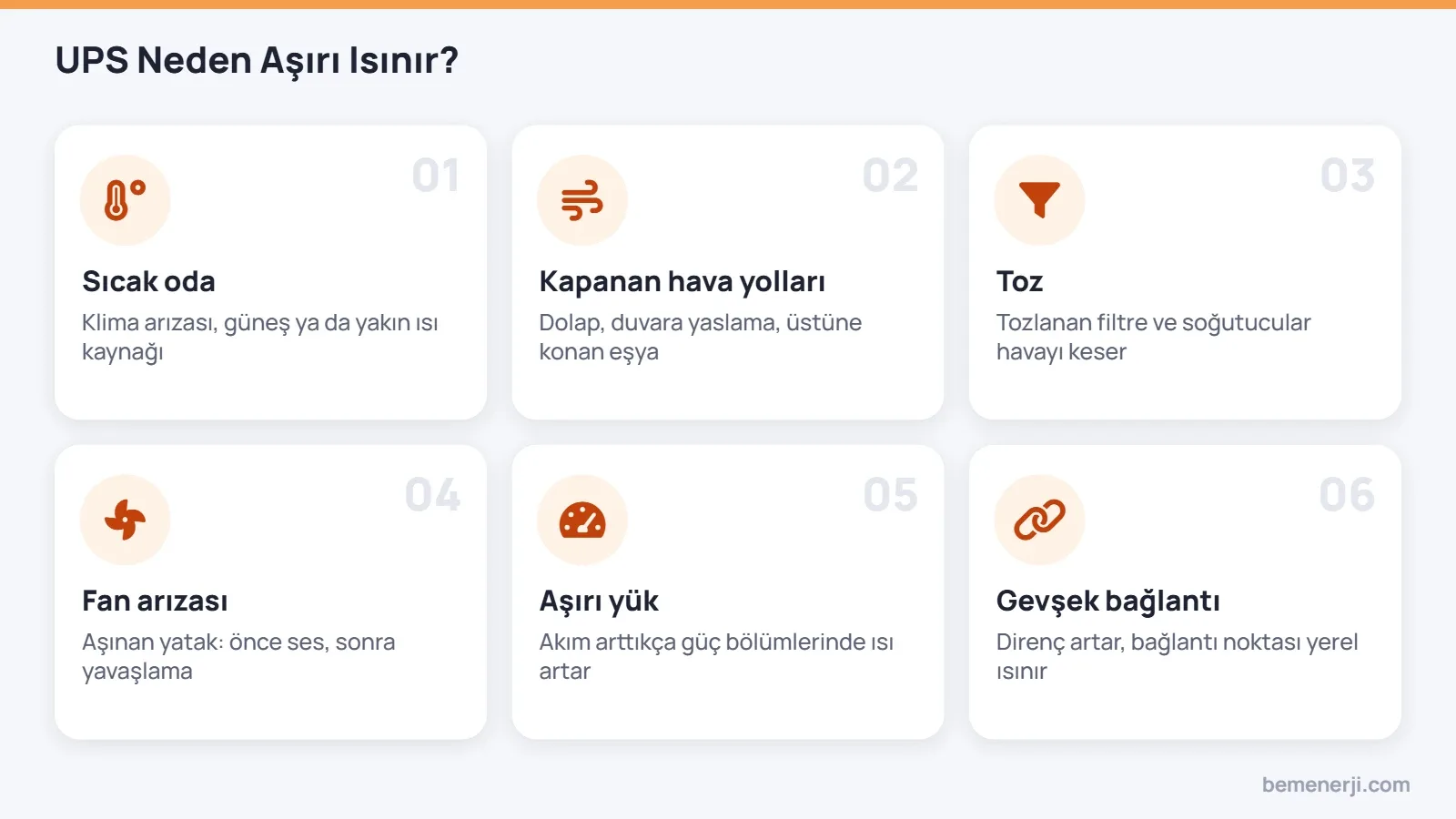
| Why | How does it heat up? |
|---|---|
| Hot room, air conditioner not working | The UPS can only be cooled by the air in the room. An air conditioner malfunction or a room that heats up in the summer will also heat up the inside of the unit. |
| Airlines that have ceased operations | A UPS that is squeezed into a cabinet, pressed against a wall, or has items or a cover placed on top of it will draw its own hot air back inside. |
| Dust | Dusty filters and coolers reduce airflow and make it harder for heat to be transferred. |
| Fan malfunction | The section cooled by a fan that has stopped or is slowing down heats up quickly. |
| Overload | As the current increases, the losses in the power sections—that is, the heat—also increase. |
| Loose connection | A connection point with increasing resistance heats up locally, even if the rest of the device remains at normal temperature. |
Depending on the model, the air intake and outlet may be located at the front, rear, or sides; this is why the clearances specified in the manual are important. How to identify an overload UPS overload alarm In his article, he explains how loose connections are found Thermal Camera Inspection During UPS Maintenance We discussed this in our article.
Fan Failure: Fans Are Like Consumable Parts
UPS fans run continuously for years. Over time, their bearings wear out and their lubricant dries up; the fan first becomes noisy, then runs more slowly, and eventually stops. That’s why fans, like batteries, parts that are replaced at regular intervals It is generally considered that the replacement interval varies depending on the manufacturer, ambient temperature, and dust levels; the period specified in the manufacturer’s service manual is used as a guideline.
Some UPS units detect when a fan has stopped and trigger a fan alarm; others only issue a warning when the temperature rises. In units with multiple fans, it may not be immediately apparent if a single fan has stopped. For this reason, the noise, rotation, and, if necessary, speed of the fans are also checked during maintenance.
Heat Also Affects the Batteries
In systems where the batteries are housed inside the device or in a cabinet near the UPS’s hot air outlet, the UPS itself heats up the batteries. Battery life is typically specified for 20–25 °C and decreases significantly as the ambient temperature rises; the reason for this is Factors Affecting Battery Life We explained this in our article.
Overheating can sometimes start with the battery: a battery that’s been charged incorrectly or is aging may overheat, and its casing may swell. In this case, do not touch the battery; here are the symptoms and what to do What causes a battery to swell? You can find it in his article.
What You Can Do with Confidence
- Check the room temperature: Make sure the air conditioner is running; if there is another heat source or direct sunlight in the room, remove it.
- Open the air routes: Remove any items on top of and in front of the UPS, and pull back any covers; ensure there is adequate clearance as specified in the manual. If the unit is located inside a closed cabinet, check the cabinet’s ventilation.
- Check the load: Check the load percentage on the screen; safely disconnect any devices that were added later and do not require a continuous power supply.
- Save: When you notice the alarm or fan noise, make a note of the room temperature and the load percentage; take a photo of the screen.
Things You Shouldn't Do
- Do not open the UPS cover. Even when the unit is turned off, there may be dangerous voltage inside due to the batteries.
- Do not try to turn a stationary fan with your finger or any object; do not insert anything into the ventilation openings.
- Do not install or replace the fan yourself; an incompatible fan may blow air in the wrong direction or provide insufficient airflow.
- Do not attempt to clean the inside of the device with compressed air or a vacuum cleaner.
- Do not turn the device off and on repeatedly to bypass the alarm.
If you notice smoke, the smell of burning, or overheating, safely turn off the device, follow the steps in the user manual to shut it down, and contact technical support.
What Does Technical Support Do?
The cause of overheating is determined not by a single measurement, but by evaluating the findings collectively. At the service center, event logs and internal temperature data are reviewed; input, output, and load values are measured; and hot spots are identified using a thermal camera. Fans, capacitors, and power supply components undergo component testing.
If necessary, after the power has been safely disconnected, the filters and coolers are cleaned, worn-out fans are replaced with parts compatible with the model, and loose connections are tightened to the torque specified by the manufacturer. If the room’s cooling or layout is the source of the problem, a recommendation is included in the report. After the repair, the unit is run under load to verify that the temperature has returned to normal. The steps of the service process UPS Technical Service Process We explained this in our article.
- ROHM — Service Life of Aluminum Electrolytic Capacitors (a decrease in lifespan as temperature increases)
- EUROBAT — Guide to VRLA Stationary Batteries (2022) (calendar life classes; the effect of temperature on service life)
- Product manuals and data sheets from UPS and battery manufacturers (specifications vary by manufacturer)
Sources
Causes of overheating at a glance
Overheating in a UPS is often based on one of six causes, sometimes a combination of several.

Room, airways and load are causes that you can also check. Dust, fan and connections are examined by authorized technical personnel as they are inside the device.
Frequently Asked Questions
01The fan noise of the UPS has increased, is this a malfunction?
02If the temperature alarm disappears, is service still required?
03How often are UPS fans replaced?
04Can I put a UPS in a closed cabinet?
05Does overheating damage batteries?
Let's Review Your Heating UPS
We diagnose and repair UPS of all brands and models throughout Istanbul and in the surrounding provinces; Fault detection is free of charge in Istanbul. We provide 6 months of labor for repair and 24 months warranty for replacement parts. Process Fault Detection and Technical Service page. Make and model of your UPS, alarm message and screen photo Send us; Let's find out the reason together.